A winner is an average
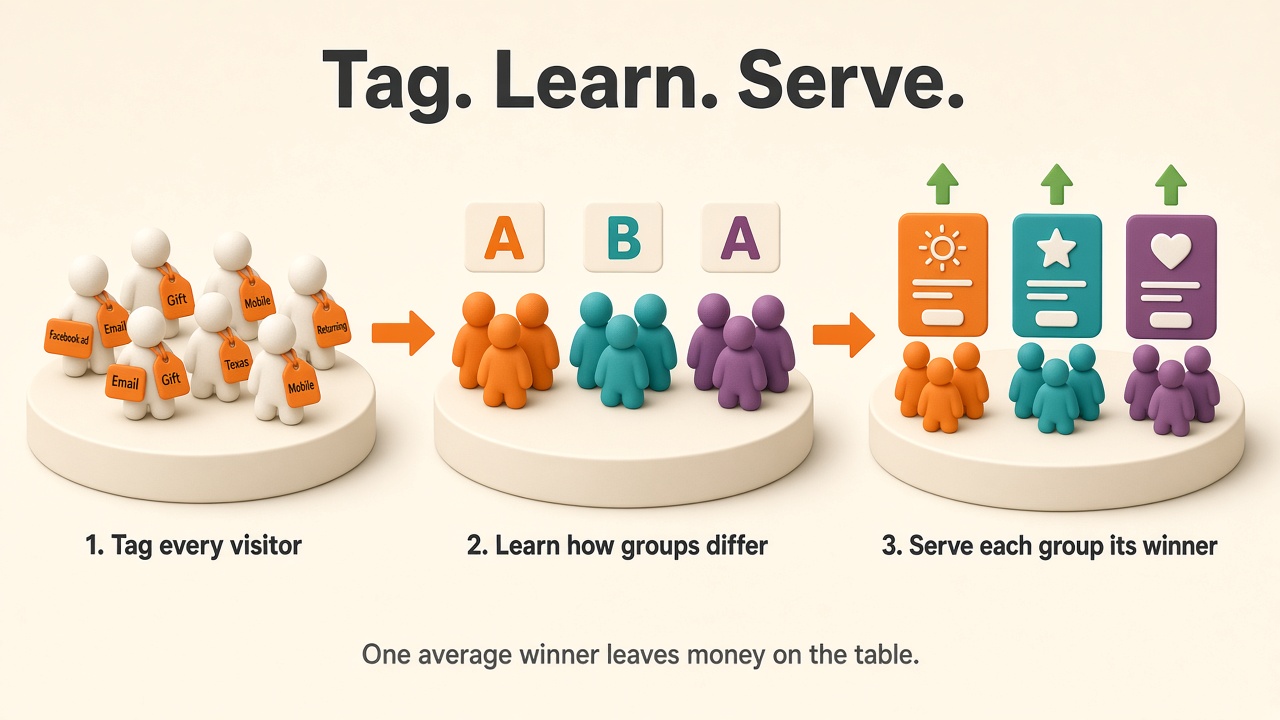
A test tells you which version converts best on average. Your visitors are not average. A cold visitor from a Facebook ad, a repeat buyer from your email, and someone shopping for a gift can each prefer a different headline, and the average picks one for all three.
To see that, Bandit needs to know something about each visitor. We call those facts attributes. This post covers every way to send them, what the Audiences page learns from them, and how a contextual bandit uses them to serve each group differently.
Five ways to add attributes
| Source | Automatic? | Example attribute | Shows up as |
|---|---|---|---|
| Request context | No, you pass it with getAssignment | device: mobile | device |
| Survey answers | No, you call client.label | buying_for: a gift | label.buying_for |
| Campaigns | Yes, in the browser SDK and bandit.js | campaign: mothers-day | campaign, or a label you assign |
| Location | Yes, from the request | Canada, Texas | geo.country, geo.region |
| Klaviyo segments | Yes, once you connect and pick segments | member of "VIP" | label.klaviyo_segment:<id> |
If you installed the bandit.js script tag or create a BanditsClient in the browser, you already have campaigns and location without writing any code. Context and survey answers always come from your own code.
Request context
The most direct way. Pass an object as the third argument when you ask for a treatment:
const { config } = await bandit.getAssignment('hero-headline', visitorId, {
  device: 'mobile',
  source: 'google',
  returning: true,
})
Bandit stores the context on the assignment, so it is tied to the version the visitor saw. Keep values short and categorical. Values are trimmed and lower-cased, anything over 40 characters is ignored, and so are numbers. A key with more than 12 distinct values, like a product SKU, looks like an id and is dropped from mining.
Some keys are never mined: userId, sessionId, url, timestamp, id, anything ending in Id or _id, and anything starting with __. Don't send personal data such as an email address. There is no block list for it.
Survey answers
Some things you can only learn by asking. Ask one question, like "Who are you shopping for?", and record the answer:
await bandit.label(visitorId, { buying_for: 'a gift' })
You can send up to 20 answers in one call. Each visitor keeps one answer per question, and the latest one wins. If the visitor later signs in, an answer recorded under their anonymous id moves to their identified profile.
Campaigns
You probably tag ad and email links with UTMs already. When the page loads, the browser SDK and bandit.js read the UTM tags, ad click IDs (gclid, fbclid and friends) and referrer, and report the visit once per new arrival. You don't call anything. Turn it off with captureArrival: false in the client config. A server-side client has no page to read, so it reports nothing here.
Bandit records how each visitor arrived, and while that arrival is active, the campaign becomes an attribute on every treatment they are served. ?utm_campaign=Gift_Guide becomes campaign: gift-guide.
On the Campaigns page you can label a campaign with a question and answer, for example buying_for: a gift for your gift guide. Visitors from that campaign then carry the same attribute as visitors who answered the survey that way, and they are grouped together. When a visitor has both, the more recent one wins.
Location
You send nothing. When Bandit serves a treatment, it stores the country and region Cloudflare reports for the request. Clients can't override these values. Location comes from whoever makes the request, so it works when the browser SDK or bandit.js asks for the treatment. If your server asks on the visitor's behalf, Bandit sees your server's location instead.
Klaviyo segments
If you connect Klaviyo, an admin can pick up to 5 segments on the integrations page. Every 6 hours, Bandit marks the visitors it has linked to members of each segment. Your "VIP" or "Lapsed 90 days" segment becomes an attribute without any code.
Note
Context, survey answers, campaigns and location can all form groups. A survey answer is attached to the treatments a visitor is served after they answer, so it counts from then on. Klaviyo segments describe who is in a group and feed the contextual bandit, but never form a group on their own.
What Audiences learns from them
Once attributes are flowing, the Audiences page looks for groups of visitors that respond to your versions differently from everyone else. Each group is a rule you can read, such as device: mobile and source: google.
Every day at 04:00 UTC, Bandit reads the last 30 days of impressions and does this:
- Picks the attributes worth looking at. An attribute must be sent by at least 20% of visitors. Bandit keeps the 8 most useful.
- Tries single attributes and pairs. A candidate group needs at least 30 visitors, or 3% of all visitors if that is more.
- Compares each candidate with everyone else, version by version. A group that converts like everyone else scores zero and is never shown, however big it is.
- Keeps the best group, sets its visitors aside, and searches again, up to 8 groups.
Groups never overlap, so the counts add up. Each card lists the versions that group converts on better or worse than other visitors, with the counts behind it. A line appears only when Bandit is at least 90% sure the group's rate is higher, or at least 90% sure it is lower, and the group saw that version at least 30 times.
The cards also show who is in the group. A survey question with at least 5 answers gets a chart, such as "Mostly a gift (64% of 52 answers)". Location gets a US state map and a country list. With Klaviyo connected, Bandit also writes each visitor's audience back to their Klaviyo profile as bandit_audience, so you can email a group the version it buys on.
The page says "signal", not "significant". With 8 groups and several versions each, a few lines will pass the 90% bar by chance. Treat a signal as a lead. The Audiences post covers the method in detail.
How a contextual bandit serves them
Audiences is a report: it tells you that mobile Google visitors prefer headline B. A contextual bandit acts on it. Instead of one traffic split for everyone, it learns a split for each kind of visitor and serves mobile Google visitors more of headline B while everyone else keeps getting what works for them.
A standard bandit keeps one estimate per version. A contextual bandit keeps one estimate per version for each kind of visitor, and picks the version it expects to pay most for the visitor in front of it. A version that works for one group and fails for another no longer averages out to "fine".
Turning it on for a funnel
Every funnel page has a Serve by visitor panel with one row per step. Each step unlocks on its own data, because the first step of a funnel usually sees far more traffic than the last. A step is ready when it:
- has at least 1,000 visitors and 100 conversions in the last 30 days
- has served each version at least 200 times, more when there are more features
- has at least one audience with a signal on it in the latest run
The last check is the important one. If no group responds differently, a contextual model has nothing to learn, and it would only spread your traffic thinner.
The switch unlocks as soon as one step is ready. Turning it on switches the ready steps right away. The others keep their standard serving and switch on their own once they have the data, and the panel lists what each is still missing. Credit works the same as before: each visitor's whole path through the funnel is paid by the funnel's payout, whether that is conversions, revenue or margin. Turning it off puts every step back on standard serving at any time.
Once a step serves by visitor, its experiment page lets you pick attributes, such as device: mobile and campaign: gift-guide, and shows the chance each version is served to a visitor like that, and the payout the model expects from each. Similar visitors still get a mix while the evidence for them is thin, so the model keeps learning.
What it reads
Bandit builds the feature list from what it has already seen on the funnel:
- the attributes in the rules of audiences that showed a signal on one of its steps
- country, when at least 20% of the funnel's traffic has a location
- labels at least 10% of visitors carry, from any of their three sources: survey answers, attributes attached to campaigns, and Klaviyo segments
- the audience itself, using up to 8 of the current audience rules
That is at most 6 attributes with up to 8 values each, plus the audience.
On each request, Bandit adds the visitor's location, labels and campaign to whatever context you sent, matches the audience rules, picks a version, and stores that full context on the assignment, so the model learns from exactly what it served on.
The feature list refreshes every week
Visitors change, and so do the attributes that matter. Once a week, Bandit rebuilds each contextual funnel's feature list from the latest audience run. A new campaign that buys differently, or a new survey question, gets picked up. An attribute that stopped mattering drops out.
A refresh does not start the model over. Every assignment already stores the context it was served with, so Bandit retrains the model from the funnel's finished visits under the new feature list, and keeps folding in each new outcome between refreshes. The funnel panel shows what changed in each refresh.
Getting started
- Tag your links. UTMs on every ad and email link give you campaign attributes for free, because the browser SDK and
bandit.jspick them up on their own. - Pass a few context keys. Device, source and new versus returning are a good start. Send the same keys on every request, because a rule only matches requests that send all of its keys.
- Ask one question. A single survey question with
client.labeltells you who is in each group. - Connect Klaviyo if you use it, and pick the segments you care about.
- Open Audiences. It needs 100 visitors in 30 days. When a group responds differently on one of your funnel's steps, the Serve by visitor panel on the funnel page shows what each step still needs before it can switch.
The SDK guide covers getAssignment context and label. Bandit learns from what you tell it about your visitors. Tell it a few things.
Ready to try algorithmic testing?
Stop wasting traffic on losing variants. Bandit's multi-armed bandit algorithms automatically shift traffic to your best-performing treatments in real time.
Try it on my site